 Photisan
Handcrafted photo development and editing.
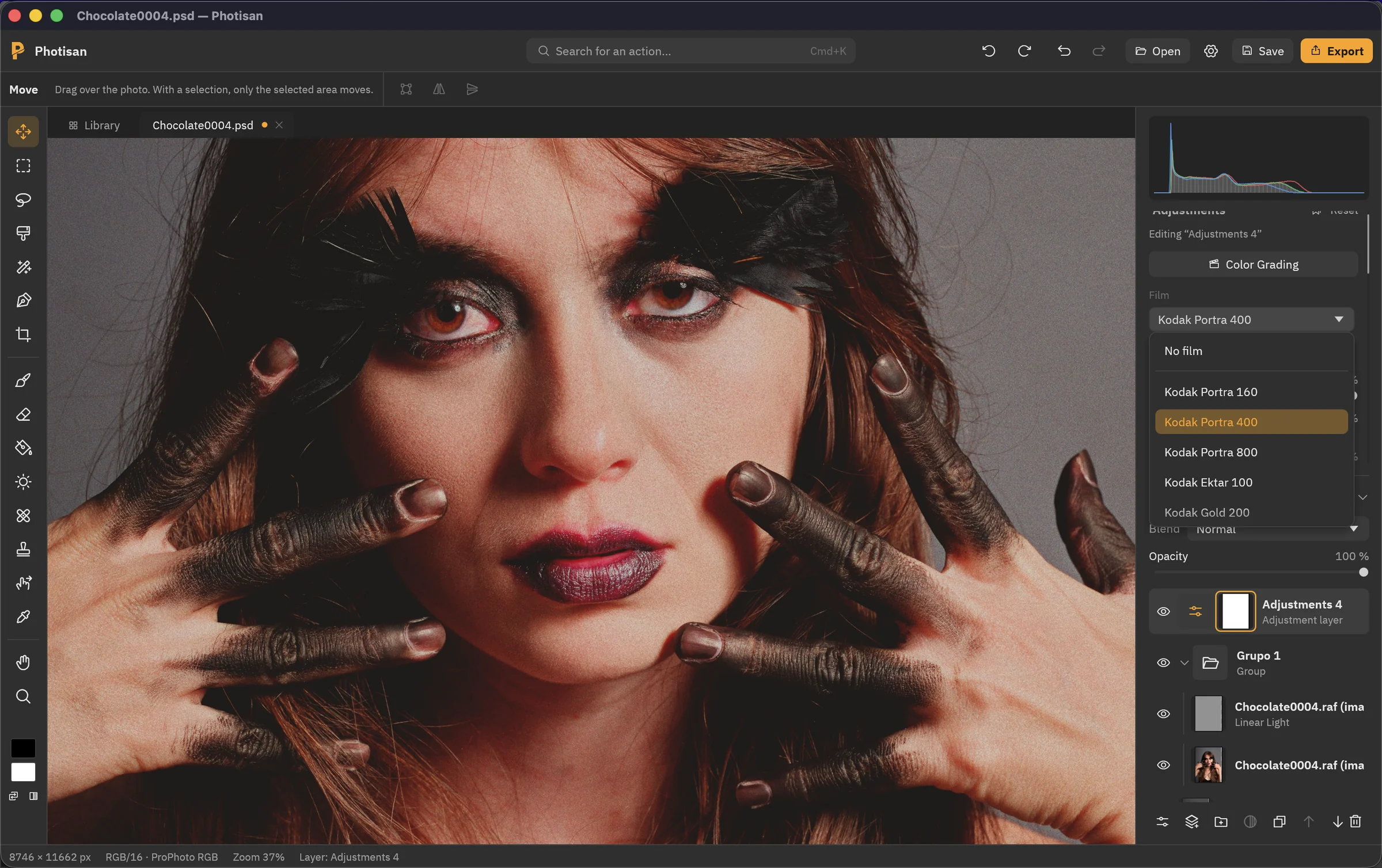
Photisan is a photo editor for Mac, with no artificial intelligence: your skills and your creativity make the photo. You develop the RAW and edit with layers in the same window, with tools built on how photography works.
Try it free for 14 days, no card needed, with a 30-day refund if you buy. For macOS 11 or later, made for Apple Silicon.
No artificial intelligence, by choice
Your skills.
Your creativity.
Creating is part of what makes us human, and it's a skill that grows the more you use it. That's why Photisan uses no AI: it doesn't generate images or decide for you. Every choice in your photo is yours, and every photo makes you a better photographer.
No replaced skies, no automatic skin retouching, no suggestions from a neural network. Every tool follows the rules of photography: light, emulsion, development. The ones that work on their own, like film conversion or quick selection, follow rules you can see and correct.
And your photos never leave your Mac: the app only goes online to check your license.
Features
Developing isn't another module
Open the RAW and adjust it in the side panel: exposure, white balance, curves, colour and detail. The development stays a layer of the document: you work on top with layers and masks, and move the exposure again whenever you like, without exporting or resorting to smart objects.
For Bayer and X-Trans sensors. Merge photos into HDR or panoramas and save them as DNG.
Cinema colour
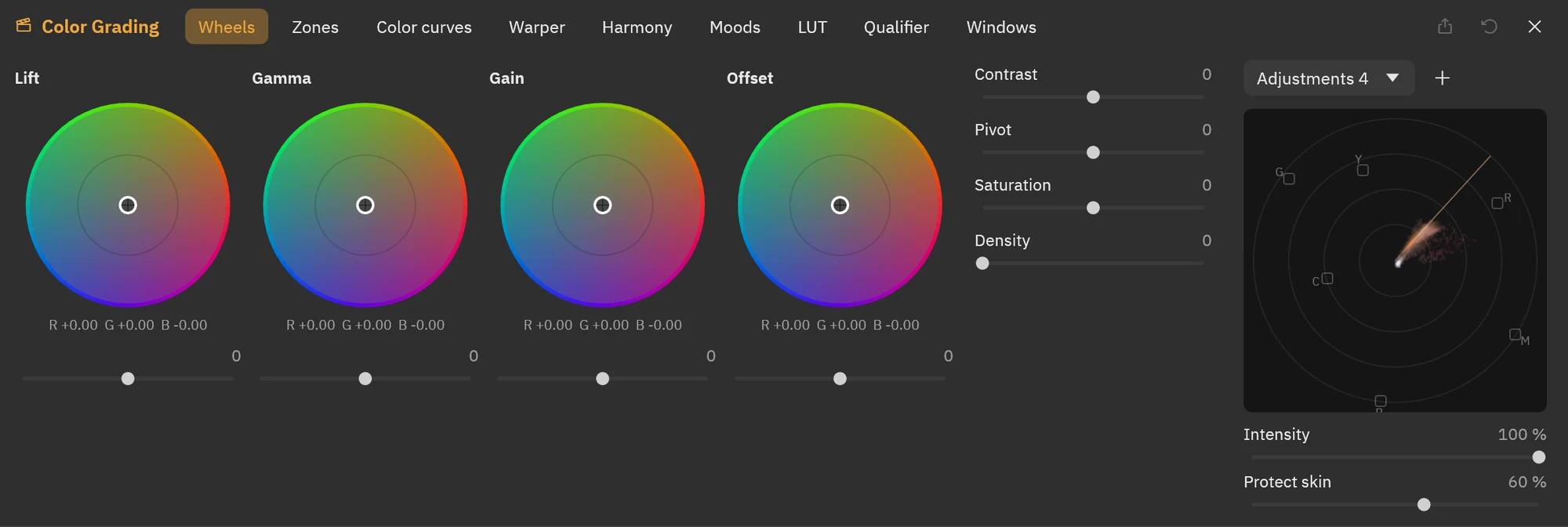
Colour grading tints and exposes the shadows, midtones and highlights separately, with soft transitions by exposure. With the qualifier you isolate a colour and work on it alone, as in a film colour suite.
Convert your negatives
Open the scan, or the photo you took of the negative with your camera, and Photisan converts it like a minilab. Tell it which film it was to use its real curves, and choose how the lab prints it: Frontier style, Noritsu style or neutral.
Colour negative, black and white negative, and slide.
- Recognises the orange mask
- Measures the film base
- Balances the greys
- Sets the exposure


The tools you already know
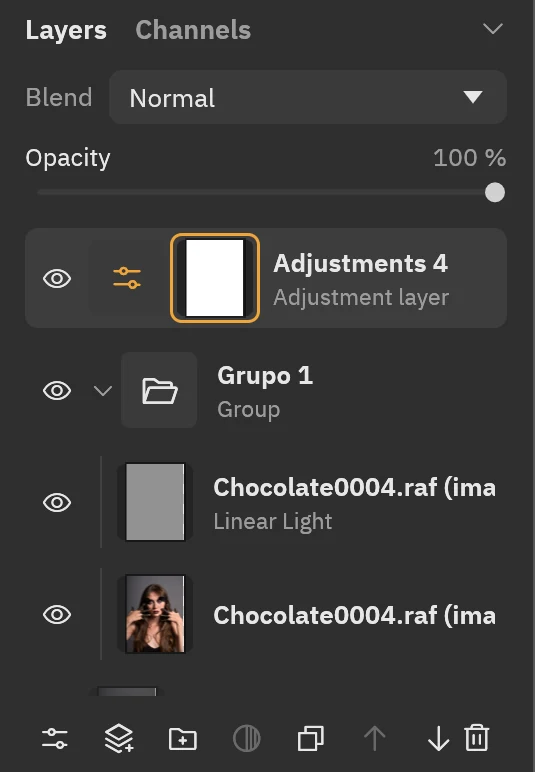
Layers, groups, masks and blend modes. Quick selection that follows edges, refine edge for hair, liquify, patch, curves and perspective transform. Work in RGB, CMYK, Lab or greyscale.
Opens and saves PSD
Your documents are saved as PSD, with layers, groups, masks and blend modes, in 8 or 16 bits. Open them in Photoshop when you need to, and bring the ones you already have into Photisan.
Light
The download is under 30 MB. Adjustments are computed on your Mac's graphics card and applied to the full photo, not to a reduced copy.
24 films, modelled from their datasheets
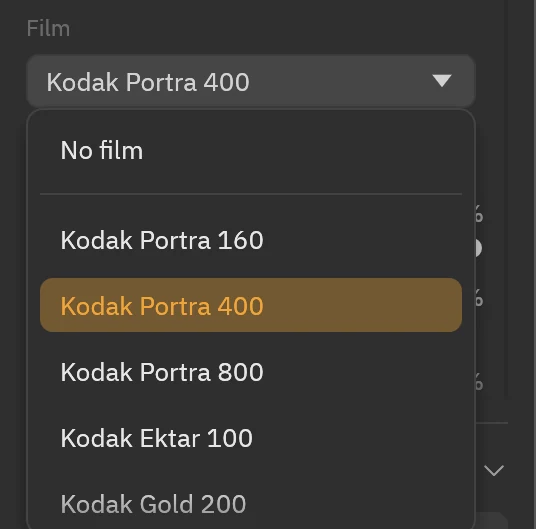
These aren't colour filters. Each simulation reproduces how the emulsion responds: each layer's sensitivity to colour, how the layers hold each other back during development, their characteristic curves and their grain, measured for 35 mm, medium format or large format. Overexpose or underexpose, and each film answers with its own latitude.
Colour negative
- Kodak Portra 160
- Kodak Portra 400
- Kodak Portra 800
- Kodak Ektar 100
- Kodak Gold 200
- Kodak UltraMax 400
- Kodak Vision3 50D
- Kodak Vision3 250D
- Kodak Vision3 200T
- CineStill 800T
- Fujifilm Superia X-TRA 400
- Fujifilm Pro 160NS
Slide
- Fujifilm Velvia 50
- Fujifilm Provia 100F
Black and white
- Kodak T-MAX 100
- Kodak T-MAX 400
- Kodak T-MAX P3200
- Kodak Tri-X 400
- Eastman Double-X 5222
- Fujifilm Acros 100 II
- Ilford FP4 Plus
- Ilford HP5 Plus
- Ilford Delta 3200
- Ilford XP2 Super
For black and white, with yellow, orange, red and green filters, as if in front of the lens.
What a film changes
Each photo developed without film and with one of the 24. Drag the line to compare.


What you pay for stays yours
A yearly subscription with every update. If you cancel, you keep using the version you paid for, forever. Rather try it first? You get 14 days free, with every feature.
$45USD a year
Yearly subscription, cancel anytime
- Every update while you're subscribed
- If you cancel, you keep the versions you paid for, forever
- Use it on two Macs
- Refund within the first 30 days
Payment is handled by Polar: it sends you the receipt, gives you the license key, calculates your country's taxes and lets you cancel the renewal at any time.
Questions
Does Photisan use artificial intelligence?
No. No feature uses artificial intelligence models, either to generate or to decide. That's a choice: creativity is something you exercise, not something you hand over. Photisan is for people who want to make their photos with their own hands, and grow with each one.
How do I buy and activate the license?
Click “Buy” and pay with Polar, whenever you like, during the trial too. When the payment is done you see your license key, which also reaches your email and stays in your customer portal. If you don't have Photisan yet, download it for Mac from this page. Then open Settings › License, paste the key and activate it: your photos and documents stay where they were.
What does the trial include?
Everything. For 14 days you can open, edit, save and export with no limits. When it ends, the app still opens and shows your photos, but you need a license to save and export.
What happens if I cancel the subscription?
Nothing stops working: you keep using, forever and on your two Macs, the versions released while you were subscribed. You just stop getting new ones. If you subscribe again, you get every update again.
Do I need to be online?
Only to activate the license or start the trial. After that, Photisan works offline for up to 14 days in a row, and renews the license by itself when you're back online.
Can I move to another Mac?
Yes. Deactivate the license in Settings › License and activate it on the other Mac with your key.
Does it open my Photoshop files?
Yes, it opens and saves PSD with layers, groups, masks and blend modes. What Photisan can't reproduce, such as editable text or smart objects, opens as pixels. The app tells you what would change and, the first time, saves under another name so the original stays untouched.
Is there a Windows version?
For now, Photisan is Mac only.
Download Photisan
For macOS 11 or later. Open the file and drag Photisan to Applications. Already bought it? Open Settings › License and paste your key. If not, you start with a 14-day free trial.